Skip to content

Front desk · Check-in · Till · Reports

Tanning salon software that runs the front desk

TanVision puts your rooms, check-in, consent forms, packages and the till in one place, checks every visit against your salon’s own rules, and runs in a web browser on the desk computer, a tablet or your phone.

  • Built for tanning rooms, lamps and exposure limits
  • Consent forms signed on the client’s phone
  • Already use TanVision? Sign in
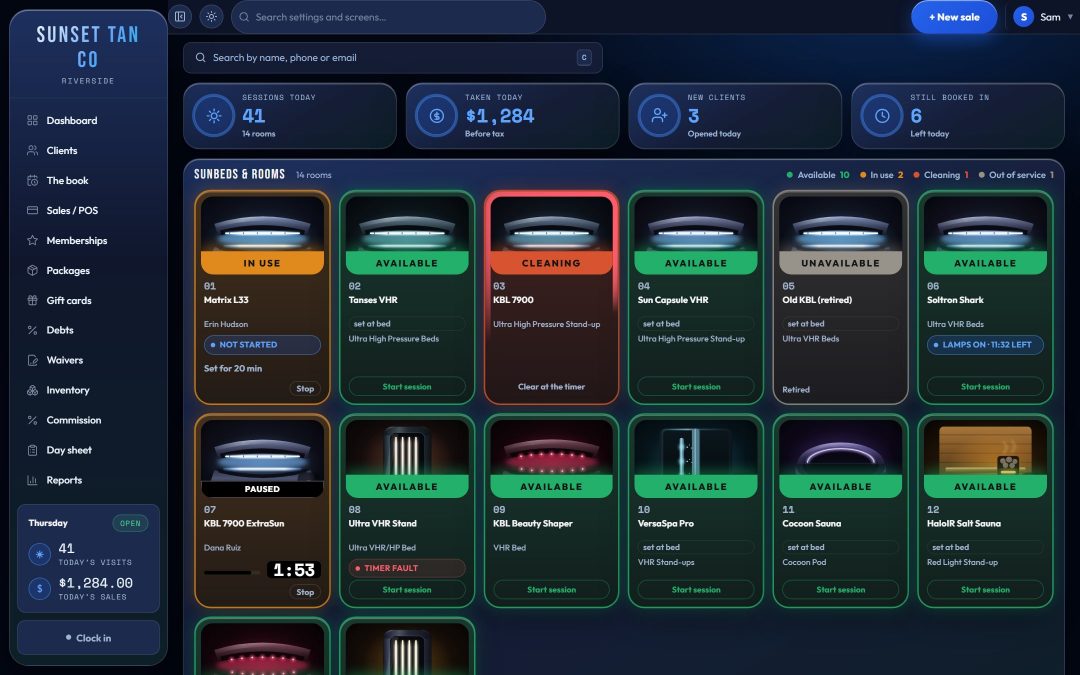
The TanVision front desk board: a photo tile for each tanning room with a coloured status band (available, in use, cleaning, unavailable), the time left, and a Start session button.
  • 4board layouts, one per screen
  • 51state law pages, each sourced
  • 1plan with every feature
  • 0installs: it runs in a browser

What it does

Built for the way a tanning salon front desk works

Not a general booking app with tanning added: rooms, lamps, exposure limits, consent paperwork and bed-level packages are the core of it. How it differs from a booking app

The front desk board

Every room on one screen

A tile for each room shows whether it is free, running or needs cleaning, and the time left. It updates on every desk screen without a refresh.

  • Four layouts to choose from, one of them a classic room-status board
  • Status colours you set, read from across the room
  • The next free room of each kind is marked “Use next”
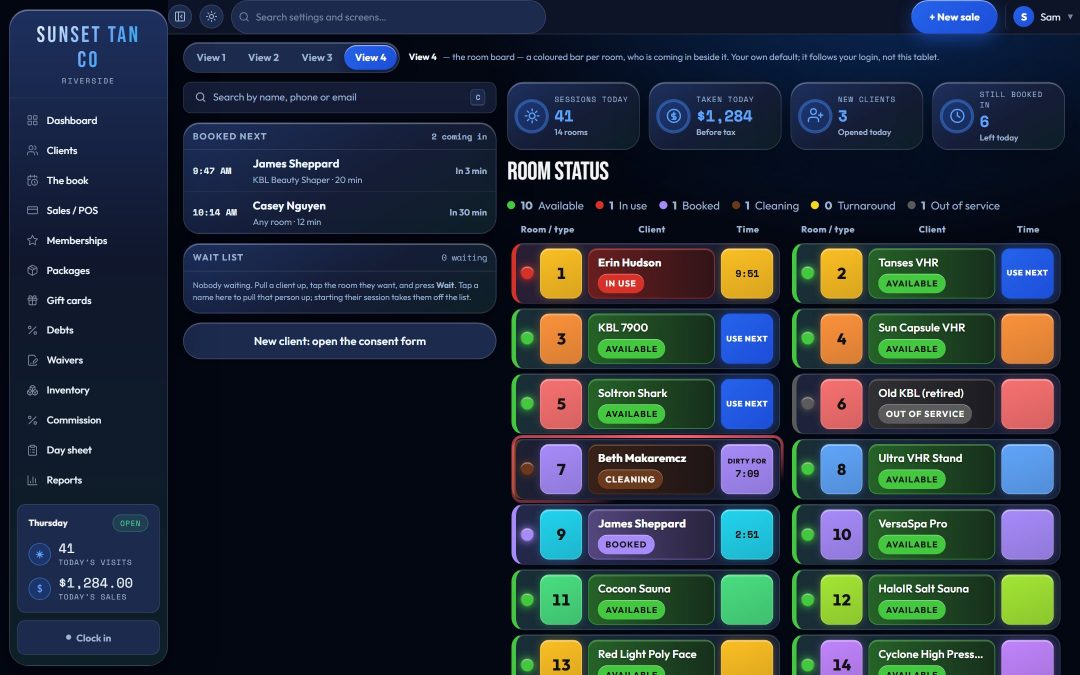
The front desk board
The TanVision room board: a coloured row per room with a status light, the room number, who is in it and the time left, beside the list of clients booked next.

Check-in

Check in with one scan

Search a name or scan a keytag and the client’s record opens beside the board. Pick the package and the room, type the minutes and press Start.

  • Waiver, skin type, maximum bed level and package balance at a glance
  • Anything over the salon’s exposure limit is refused, with the reason
  • The Enter key from a scanner never starts a bed
Check-in
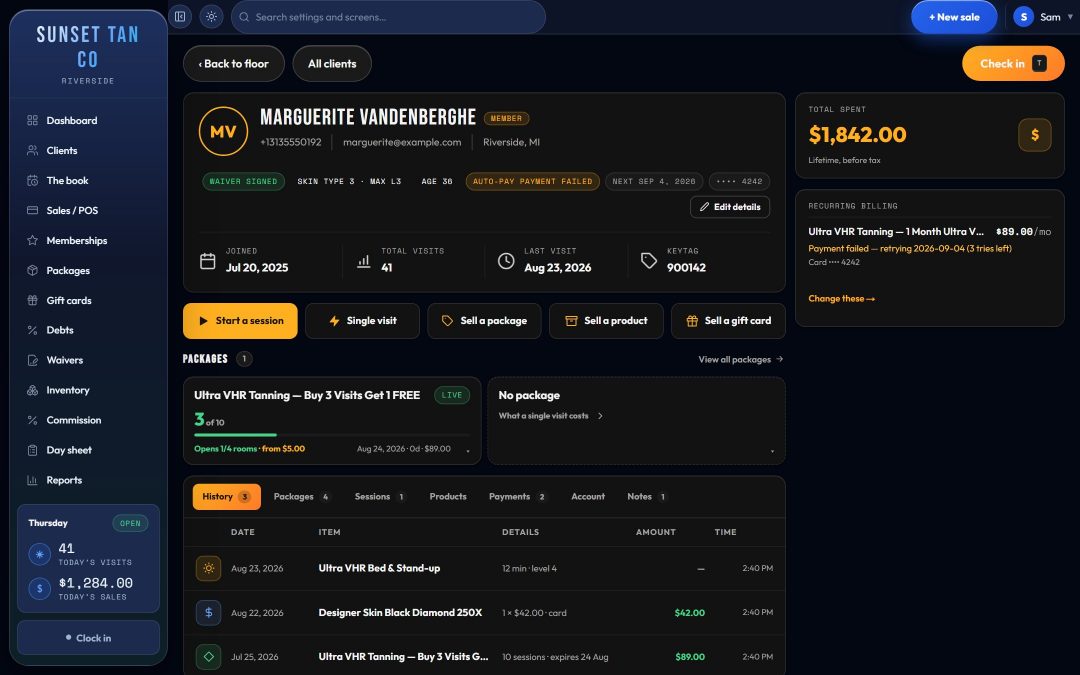
A client record in TanVision: signed waiver, skin type and maximum bed level, the package balance, recurring billing and the visit history.

Consent forms

Clients sign your consent form through your salon’s own link, on their phone or a tablet at the desk. The record keeps the signature and the exact wording they agreed to.

  • No signed form, no date of birth: the session cannot start
  • A minor needs guardian consent on file first
  • Your own wording, kept with every signature
Consent forms
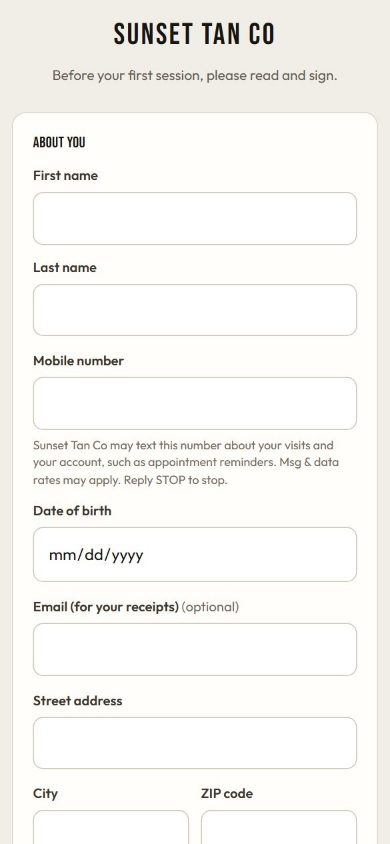
The TanVision consent form on a phone: a client fills in their details and signs before their first session.

The till

A tanning salon POS that keeps sales tax and excise apart

Retail, packages, walk-ins and upgrades go on one ticket. Every item carries its own sales tax rate, and a tanning service can carry the federal tanning excise as a separate line.

  • Tax worked out line by line and stored with the rate used
  • Card payments through built-in card processing, on a supported card terminal
  • Only a manager can void, and a void undoes what the sale granted
The tanning salon POS
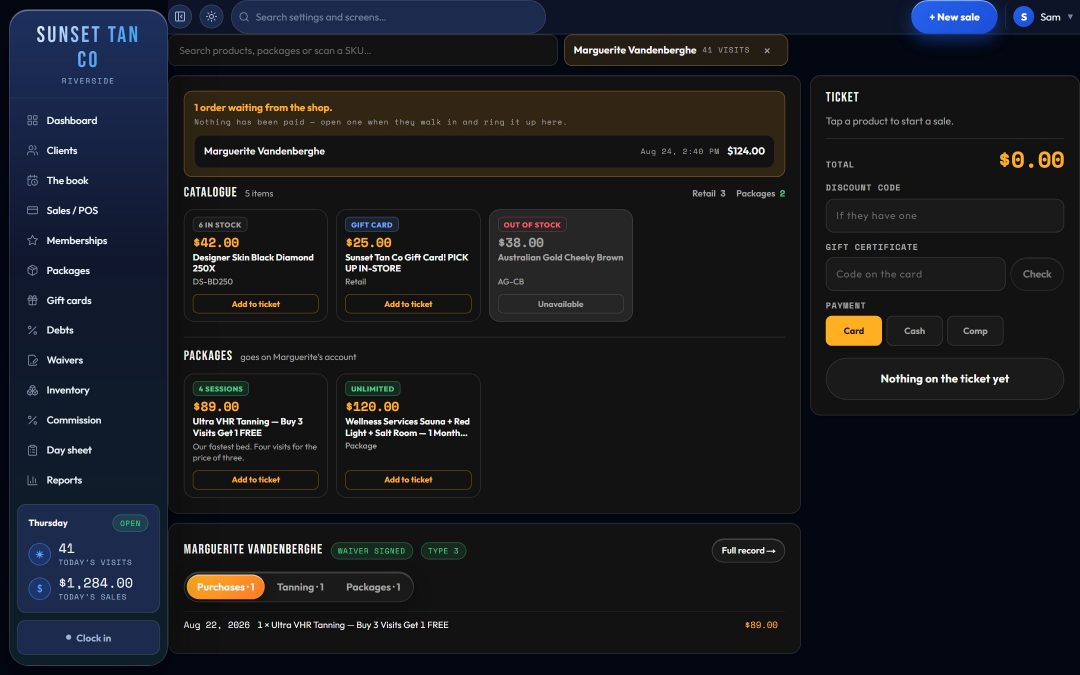
The TanVision till: retail products and tanning packages to add to a ticket, a discount code and gift card box, and card, cash and comp tenders.

Tax, line by line

How a ticket is taxed

Each line carries the rate you set for it, and the federal tanning excise rides on its own line, so the day sheet and the tax report agree with the receipt.

How a ticket is taxed in TanVision
On the ticketSales taxTanning excise
UV tanning session or packageThe rate you set for that itemIts own line, at the rate you set (the federal rate is 10%)
Lotion and other retailThe rate you set for that itemNone
Gift certificateNever taxedNone

Pricing

One plan for the whole front desk

Rooms, check-in, consent forms, packages, the till with built-in card payments, reports and your shop page.

$99 a month

Book a demo

See TanVision on your own front desk

Book a demo to walk through the room board, check-in, consent forms and the till, and ask how it would handle the way your salon works.